
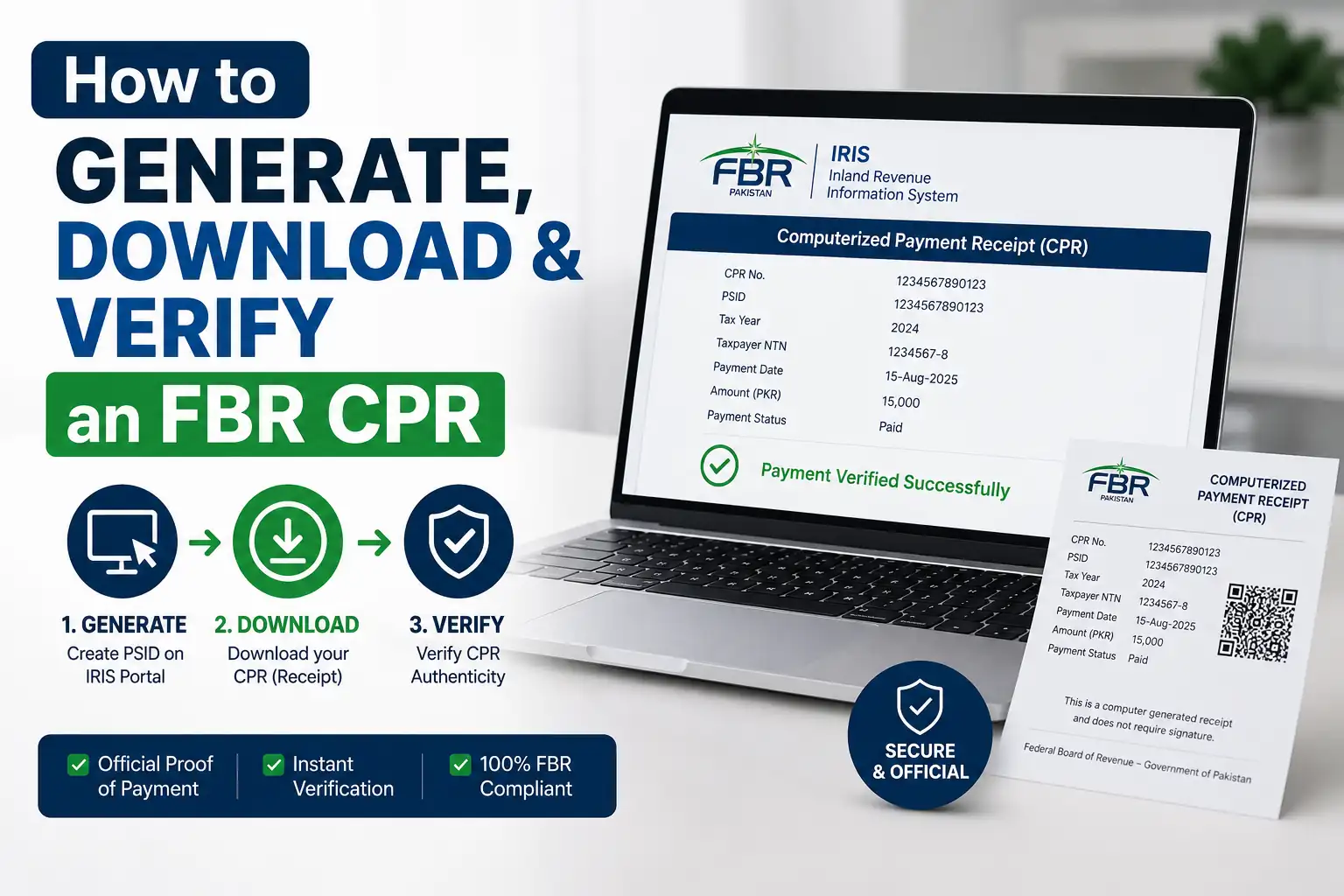
A Computerised Payment Receipt (CPR) is the official proof issued by FBR once a tax payment against a PSID (Payment Slip ID) has been successfully processed. You generate a PSID first through the IRIS portal, pay it via internet banking, ATM, mobile wallet, or over the counter, and the CPR is created automatically once the bank confirms payment, usually reflected in IRIS within 24 hours. You can download it from your IRIS account under the payments section, or from the email you entered while creating the PSID. To confirm a CPR is genuine, use FBR's free Online Verifications tool and check it against the PSID number.
What Is an FBR CPR (Computerised Payment Receipt)?
A Computerised Payment Receipt is the electronic slip FBR issues once you've actually paid a tax challan, whether that's income tax, sales tax, federal excise, CVT, or any other duty. Think of it as the final piece of paper trail: the PSID is the invoice, and the CPR is the confirmation that the invoice has been paid and recorded in FBR's system.
It matters more than people usually expect. You'll need your CPR to prove payment during an audit, to attach as evidence when filing your return, to resolve any dispute over a missing or duplicate payment, and sometimes even for loan applications or visa processing where proof of tax compliance is required.
CPR vs PSID: What's the Difference in FBR Tax Payments?
People mix these two up constantly, so it's worth being clear upfront.
A PSID (Payment Slip ID) is generated before you pay. It's essentially a challan, an 18-digit reference number that tells the bank exactly how much you owe and under which tax head. Nothing has been paid yet at this stage.
A CPR (Computerised Payment Receipt) is generated after you pay. It confirms the transaction actually went through and FBR has recorded it against your NTN. You cannot get a CPR without first creating and paying a PSID.
How to Generate a PSID on the FBR IRIS Portal
Log in to IRIS at iris.fbr.gov.pk using your registered user ID and password. Guest users can also generate certain challans without logging in, depending on the tax type.
Go to the e-Payments section and select the relevant tax type, income tax, sales tax, property tax, or whichever applies to you.
Enter your taxpayer details. Your NTN or CNIC should auto-populate your name, so double-check it's correct before moving on.
Select the tax payment nature from the dropdown. This tells the system exactly what the payment is for.
Enter the amount payable, which you can pull directly from your IRIS filing or assessment.
Add a valid email and mobile number. This step matters more than it seems, since FBR sends your CPR copy to this email once payment clears.
Choose your payment mode, usually "ADC e-payment" for online banking or a similar option depending on how you plan to pay.
Review everything and click Create. This generates your unique PSID, which you'll use to actually make the payment.
How to Pay Your FBR PSID (Challan) Online
Once you have a PSID, you can settle it through any of these channels:
Internet banking: Log in, go to fund transfer or bill payment, select FBR as the payee, and enter your PSID.
Mobile banking apps: Most commercial bank apps have a government payments or utility section where you can enter the PSID directly.
Mobile wallets: EasyPaisa and JazzCash both offer a government fees option for paying FBR challans in real time.
ATM: Many bank ATMs support bill payment for FBR through a similar PSID entry process.
Over the counter: Visit a branch of the National Bank of Pakistan or another authorised bank and pay by cash, cheque, or pay order using your PSID.
Once the bank confirms the transaction, FBR's system generates the CPR automatically, and this typically shows up in your IRIS account within 24 hours.
How to Download Your FBR CPR Online
FBR has moved away from a simple public download link for CPRs, so the two reliable methods now are:
Through IRIS directly: Log in to your IRIS account, go to the payments or CPR ledger section, and your CPR will be listed against the relevant PSID once payment is confirmed. You can view and save it from there.
Through your email: If you entered a valid personal email address while creating the PSID, FBR automatically sends a copy of the CPR to that inbox once the payment is processed. This is often the fastest way to get your copy without logging in at all.
If your CPR hasn't arrived and it's been more than 24 hours since payment, double-check that the transaction actually cleared on the bank's end before assuming there's a system issue.
How to Verify an FBR CPR Online (PSID/CPR Verification)
Verification is a separate step from downloading, and it's worth doing any time you're relying on a CPR for an audit, a loan application, or a dispute, since it confirms the receipt is genuine and correctly recorded.
Visit FBR's Online Verifications section on the official FBR website or through IRIS.
Select PSID/CPR Verification from the list of verification options.
Enter the PSID or CPR number you want to check.
Complete the captcha and submit.
The system will display the payment status, amount, tax head, and date, letting you confirm the receipt matches what was actually paid and recorded.
This service is free, and it's the same tool FBR recommends for spotting fraudulent notices or receipts, so it's a good habit to verify any CPR you didn't generate yourself.
What Information Is Included in an FBR CPR
A standard CPR includes:
CPR number (unique to that payment)
PSID number it was generated against
Taxpayer name and NTN/CNIC
Tax head and tax year
Amount paid
Payment date and bank branch or channel used
Payment status confirmation
Common FBR CPR Issues and How to Fix Them
CPR not received by email: Check that the email entered during PSID creation was correct and check spam folders. If it's still missing after 24 hours, log in to IRIS directly to check the payments ledger instead of waiting further.
CPR not showing in IRIS despite payment: Bank-to-FBR reconciliation can occasionally lag. Give it the full 24-hour window before treating it as an error, and keep your bank's payment confirmation as backup proof in the meantime.
CPR missing for linked or multiple companies: Some tax consultants managing multiple entities in IRIS have reported that CPRs don't always show up under linked company profiles. In that case, log in separately under the specific entity's own IRIS profile to locate it.
Duplicate payment concerns: If you're unsure whether a PSID was paid twice, verify both CPR numbers through the Online Verifications tool rather than assuming, since duplicate payments need to be formally reconciled with FBR rather than left unresolved.
Conclusion
The CPR process feels like extra paperwork until the day you actually need it, during an audit, a loan review, or a dispute over a payment FBR claims it never received. Generating the PSID correctly, paying through a channel you trust, and holding on to both the CPR and its verification are small habits that save a lot of stress later. Since FBR periodically tweaks how CPRs are delivered and verified, it's worth checking the official portal each time you're dealing with a payment issue rather than relying on last year's process.
Disclaimer: This article is for general informational purposes only and does not constitute legal or tax advice. FBR's online systems, portals, and procedures are updated periodically, so exact steps, menu names, and verification tools may change over time. Always confirm the current process directly on fbr.gov.pk or through IRIS before relying on it for compliance purposes.
FAQs
What is an FBR CPR used for?
It's proof that a specific tax payment was received and recorded by FBR. You'll need it for audits, return filing records, and resolving payment disputes.
Can I download my CPR without logging into IRIS?
Yes, if you entered a valid email while creating the PSID, FBR sends the CPR there automatically after payment. Otherwise, you'll need to log in to IRIS to view it.
How long does it take for a CPR to appear after payment?
Usually within 24 hours of the bank confirming the transaction, though it can occasionally take a bit longer during reconciliation delays.
Is CPR verification free?
Yes. FBR's Online Verifications tool for PSID/CPR checks is free to use and doesn't require a login.
What's the difference between a PSID and a CPR?
A PSID is the challan generated before payment. A CPR is the receipt generated after payment is confirmed. You need a PSID to get a CPR, not the other way around.
What should I do if my CPR shows incorrect details?
Verify it first through FBR's Online Verifications tool to confirm what's actually on record, then contact FBR's helpline or your tax consultant to correct any discrepancy rather than assuming the receipt is wrong.